TopLists
An iOS app for ranking the music you love: Apple Music search, ranked lists that sync over iCloud, and a share card built for Instagram Stories.
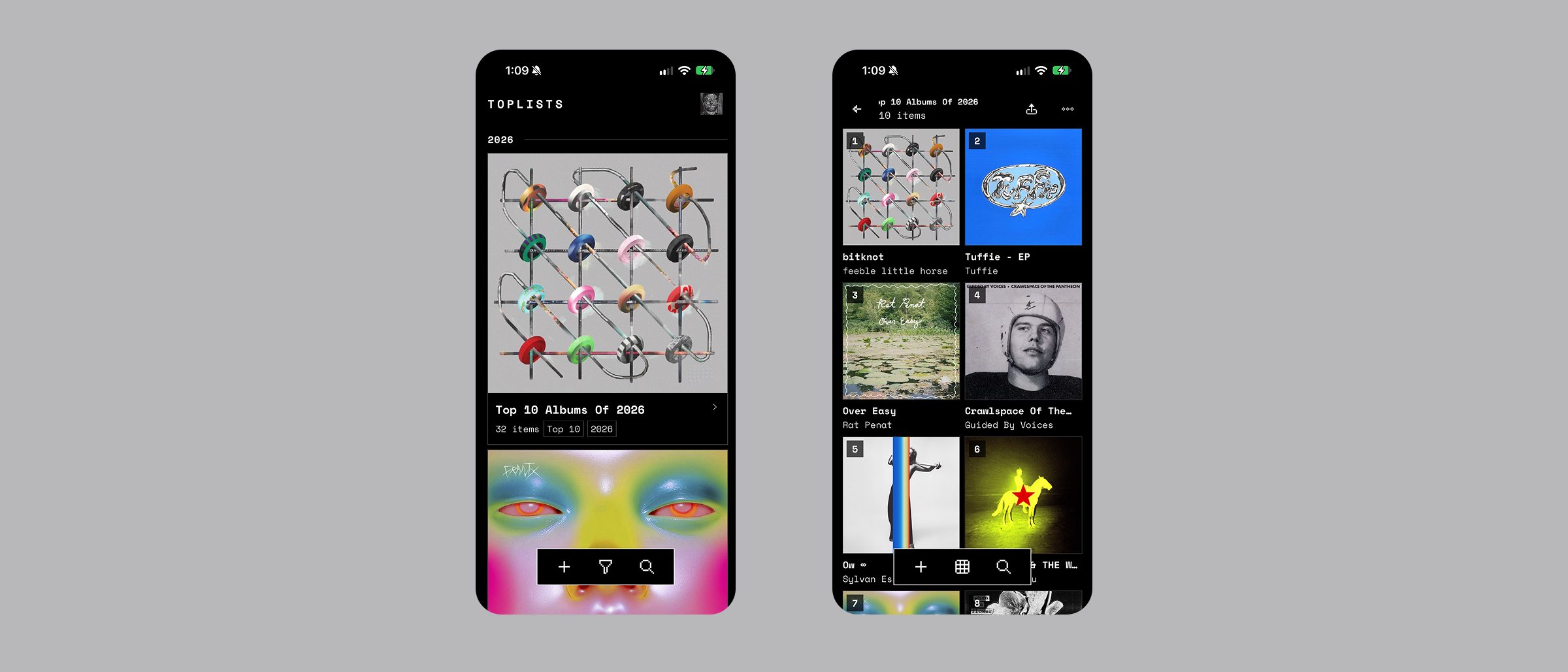
overview
TopLists is an iOS app with one job: rank the music you love. You build ordered lists for any music category, pull the real artwork in from Apple Music, and share the result as a card. I designed and built all of it.
scoping down
It didn't start out as a music app. An early version ranked films, books and games too, each with its own artwork aspect ratio and its own catalog to search. None of that was broken, it was just overkill for what I needed the app to be right now, and the app I wanted was always about albums.
So I cut it back to music. The content-type enum is still in there with a single case in it, so the structure survives if the app ever earns it back.
FIG_01 — Home and list detail
search
Adding an album is the most repeated action in the app, so it got the most attention. Search runs MusicKit and two iTunes queries at once and merges them, weighted so the artist match leads. Searching “alanis morissette” should return Jagged Little Pill first, not the deluxe reissue and three compilations.
ranking and sharing
Ranking is drag-to-reorder, with a custom order alongside sort-by-year and alphabetical views, tags for cross-cutting groups, and an archive so a finished list can leave the home screen without being deleted. Everything syncs through iCloud in the background, so the app never asks you to think about an account.
Sharing renders a 9:16 card sized for Instagram Stories: black ground, album art grid, rank numbers overlaid.
FIG_02 — The 9:16 share card
design system
The app runs on its own token layer for colour, type, spacing and reusable modifiers, ported over from an earlier React Native version so the naming survived the platform change. Colour tokens are adaptive, which is what gets light and dark mode without a second set of screens.
The look comes from two choices: Space Mono for everything, and a pixel-art icon set instead of SF Symbols. Monospace makes rank numbers and years line up into columns for free, and the pixel icons keep it from feeling like a productivity app. One accent colour, an acid yellow on black.
outcome
Three lists are free; a one-time purchase, no subscription, removes the limit and unlocks alternate app icons. The locked icons sit in the picker dimmed and badged rather than hidden, so you can see what you'd be buying. Built on SwiftUI with CloudKit sync, a home screen widget and a share extension, and currently in final prep for the App Store.